Home › AI Shop › Handy programs › A program that copies text on your screen with a mouse drag
🌐 한국어 · English · 日本語 · 简体中文 · Español · Français · Deutsch · Português · Tiếng Việt · Bahasa Indonesia · ไทย
A program that copies text on your screen with a mouse drag
What you get out of it: Stop retyping text from pictures. Drag over it and it becomes copyable text. Nothing is sent online. You receive: 1 Chrome/Edge program (zip) + install guide · download right after payment
$4.99 (≈ ₩7,000) · ⚡ Instant download · No shipping fee
$4.99 (≈ ₩7,000) Buy now — $4.99 (≈ ₩7,000)
How to use (3 steps)
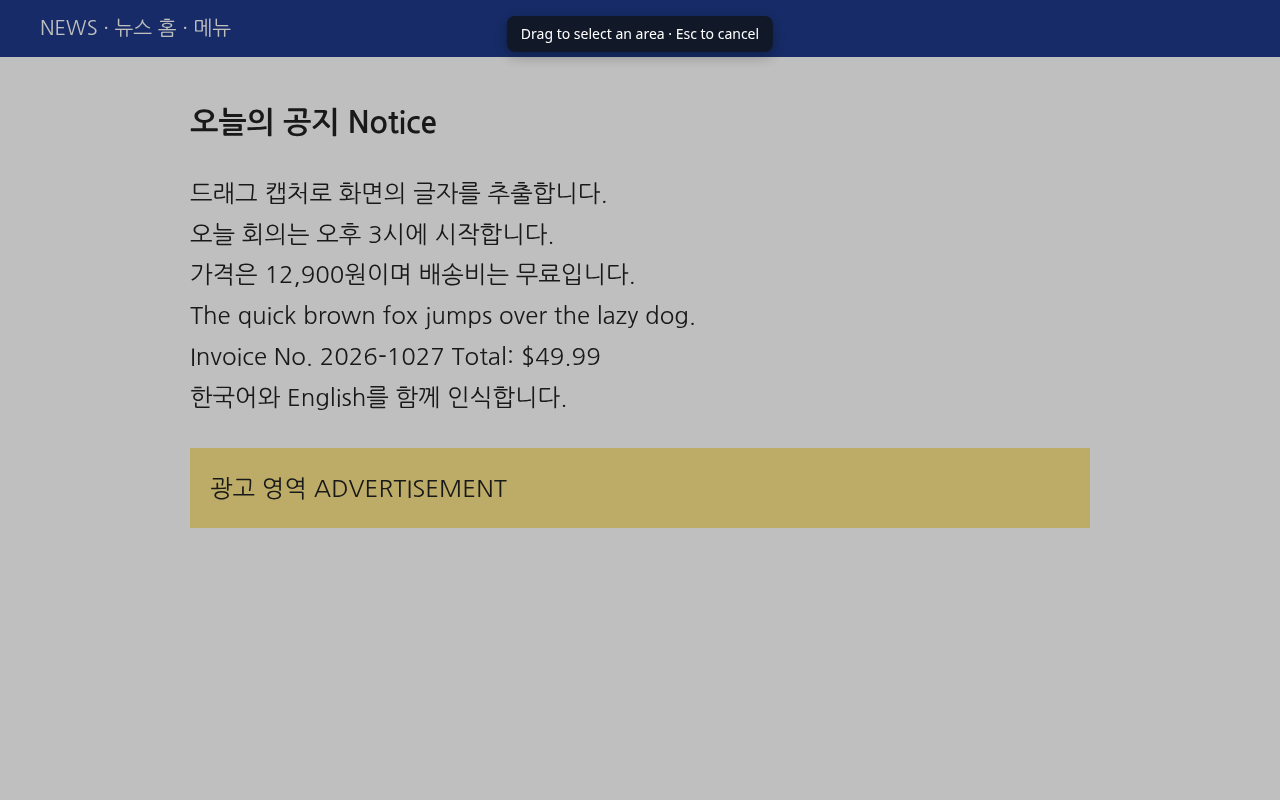
- Press Alt+Shift+S or click the toolbar icon.
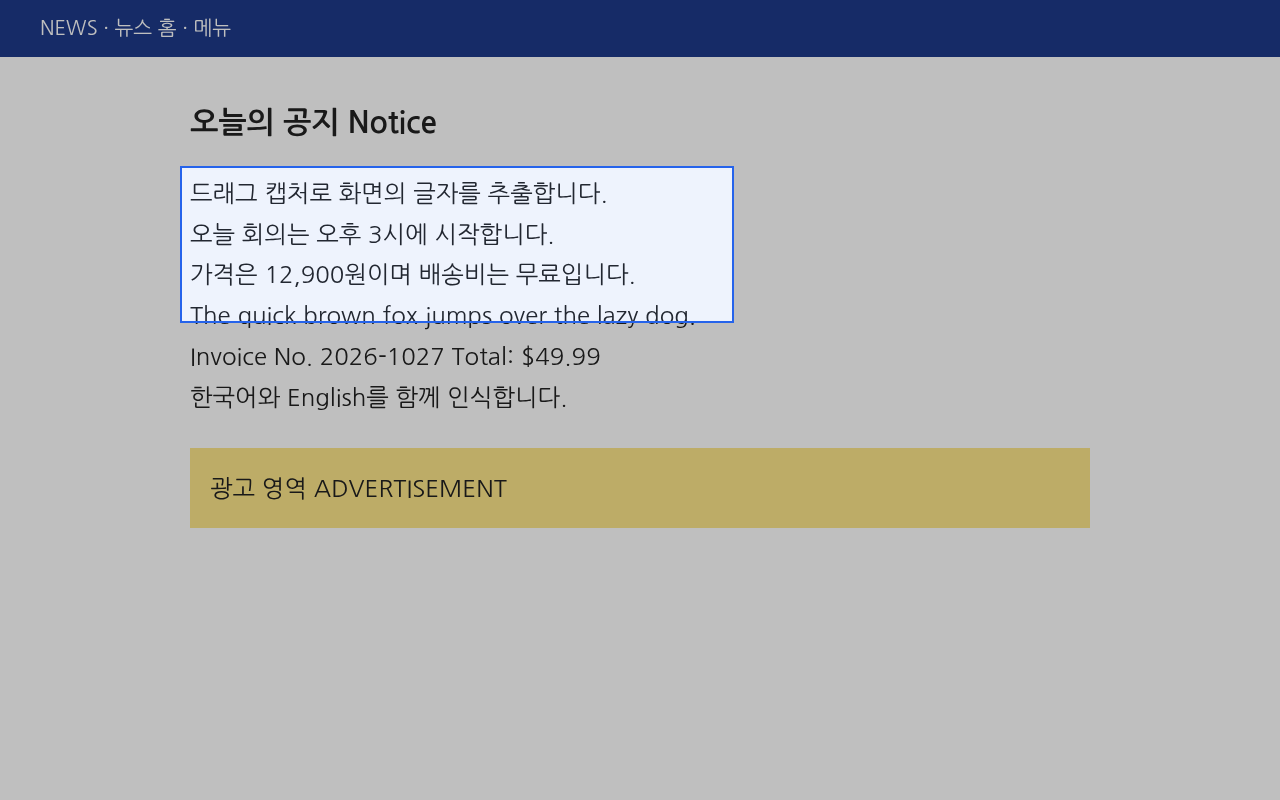
- Drag a box around the text. (Esc cancels)
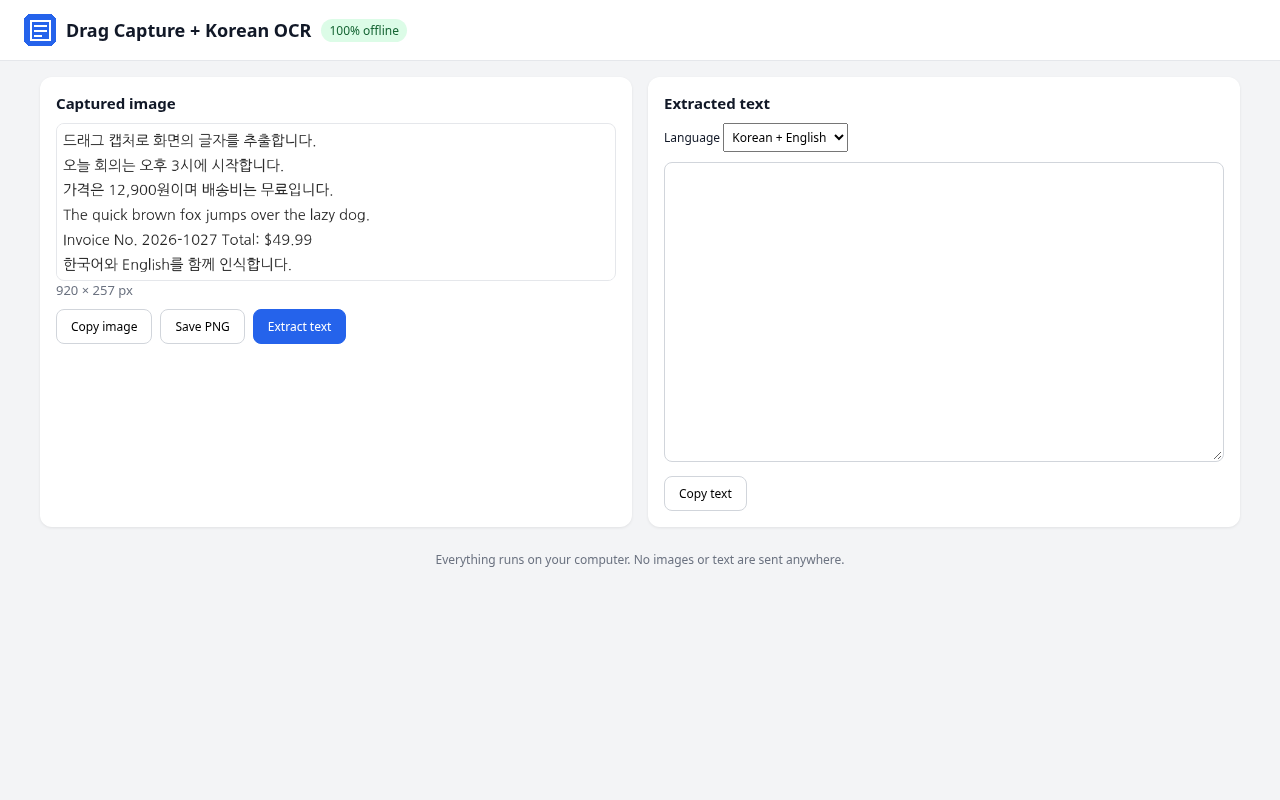
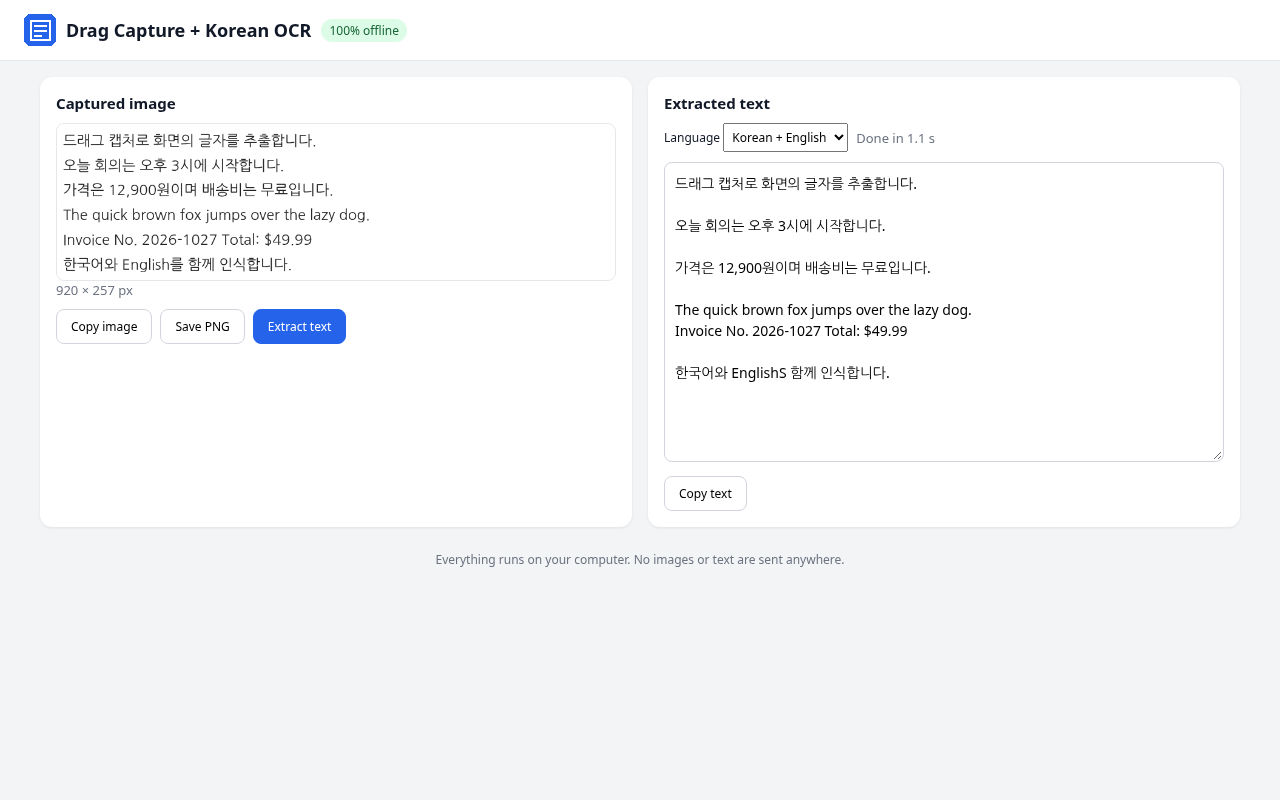
- In the new tab, click Extract text. The text is copied to your clipboard. You can also copy the image or save a PNG.
Screenshots
Install (1 minute)
- Unzip the file.
- Open chrome://extensions (Edge: edge://extensions).
- Turn on Developer mode (top right; in Edge, the left sidebar).
- Click Load unpacked and choose the drag-ocr folder.
- Pin it from the puzzle-piece menu for one-click access.
Honest test result
Real test: installed in Chrome and captured a cleanly rendered web page (4 Korean + 2 English lines, 24px text). 99.3% character accuracy (spaces ignored), 5 of 6 lines exact, about 1.1 s. The miss: "English를" read as "EnglishS". Zero external network requests. A smaller-text image scored 97.2% (4 of 6 lines exact). Not tested on handwriting or photos; accuracy may be lower there.
What's inside
- Chrome/Edge extension (Manifest V3)
- Bundled Tesseract.js OCR engine + Korean & English data
- Install guides (Korean & English)
- Open-source license notices
$4.99 (≈ ₩7,000) Buy now — $4.99 (≈ ₩7,000)
FAQ
Is my image uploaded?
No. The OCR engine and Korean/English data are inside the extension, so everything runs on your computer. No ads, no analytics.
Which browsers work?
Chrome and Edge on desktop. It is installed with Developer mode → Load unpacked, not from the Chrome Web Store.
Does it read handwriting or photos?
Not tested. Handwriting, blurry photos and busy backgrounds can lower accuracy. For small text, zoom in (Ctrl +) before capturing.
Are there pages it can't capture?
On protected pages (chrome://, the Web Store) it captures the whole visible area instead of a drag box.
How do I pay and download?
Pay on Payhip and download the zip right away. If something goes wrong, contact the help center.
Related products
- A program that converts many photos at once and makes them smaller — Turn iPhone HEIC photos into JPG and shrink many photos in one go. Your photos are never uploaded.
- 100 lines to ask AI for coding help clearly — Ask AI for bug fixes, tests and code reviews clearly, and get fewer off-target answers.
- 60 lines that get AI to write YouTube ideas, scripts and titles — Get video ideas, scripts, titles and thumbnail text ready fast with AI.