Home › AI Shop › Helpers by job › 60 AI Prompts for Accounting and Tax Offices
🌐 한국어 · English · 日本語 · 简体中文 · Español · Français · Deutsch · Português · Tiếng Việt · Bahasa Indonesia · ไทย

60 AI Prompts for Accounting and Tax Offices
📦 What's inside: HTML ×1 (Korean, opens without internet)
💡 You need this when…
Writing the same notices every time? → Fill the blanks, copy, paste into AI
A file with 60 AI prompts for accounting and tax office work. Fill in the blanks and get notices and requests right away.
📦 Files you get: HTML ×1 (Korean, opens without internet)
- Write client notices, bookkeeping checks and report requests faster.
- Type the topic, business type and deadline once and they go into all 60 prompts.
$6.99 $4.89 (≈ ₩6,800)
⚡ Instant download · No shipping fee
Checkout name: Botkora · KZK · international card/PayPal · about ₩6,800
Buy nowFile won't open? Full refund within 7 days · Refund policy & help
Real look
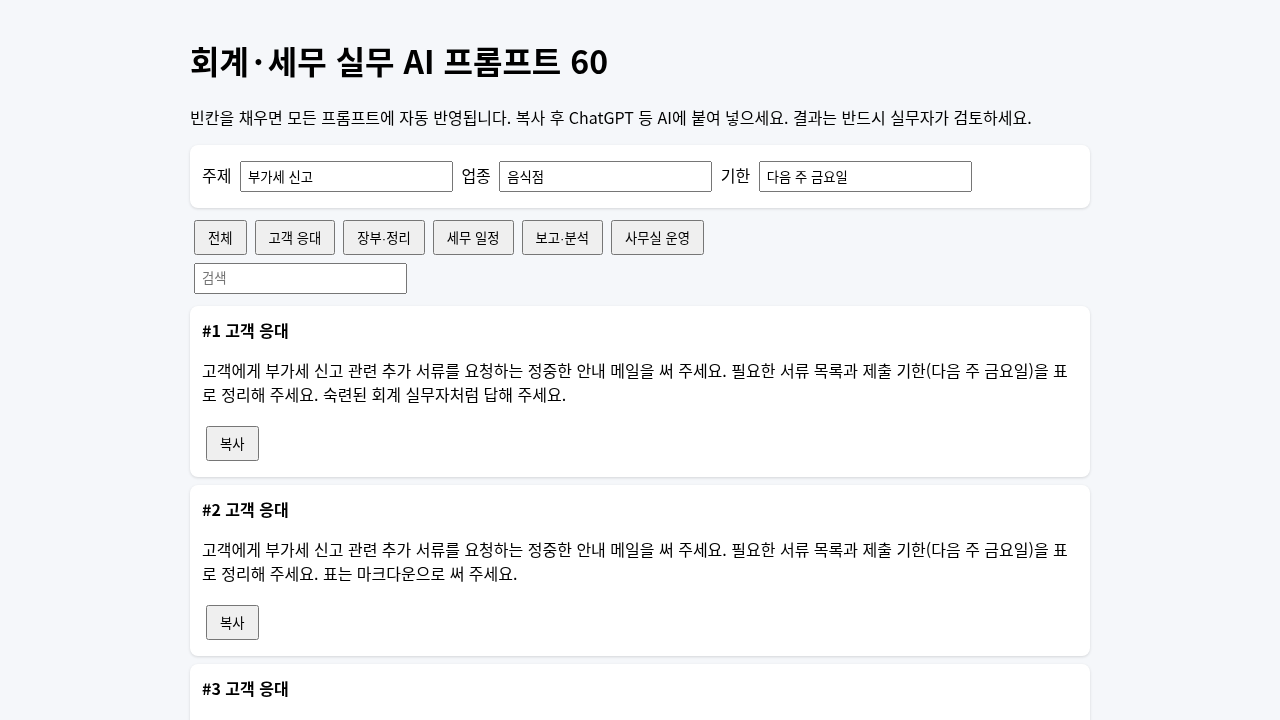
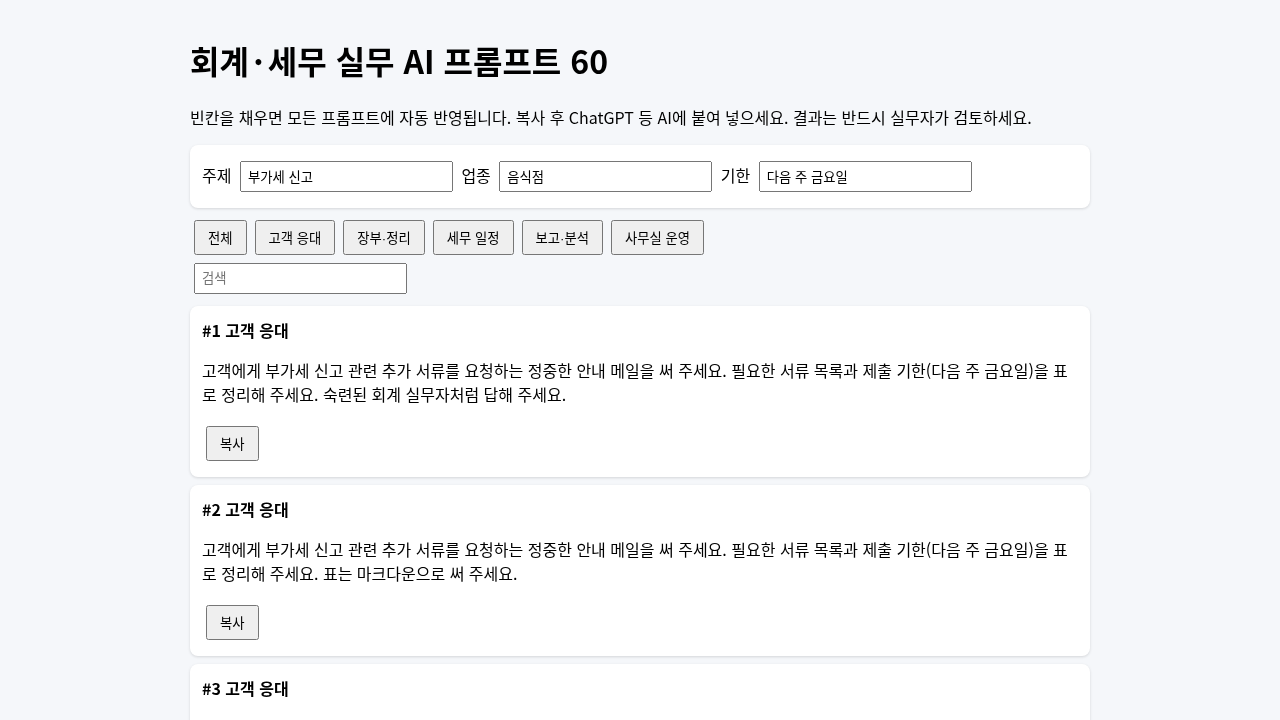
The real file, opened.
Why it helps
You get
📄 1 HTML file: 60 prompts (5 areas × 12), search, area filter, one-click copy
How to use
- Pay for it.
- Get the file right away, on screen and by email.
- 1) Open the file. 2) Type the topic, business type and deadline at the top. 3) Click [Copy] on a prompt and paste it into an AI.
Good for
🙋 Accounting and tax office staff who write the same documents again and again
See it in pictures
Checkout name: Botkora · KZK · international card/PayPal · about ₩6,800
Buy now —File won't open? Full refund within 7 days · Refund policy & help
🏷️ 30% off automatically at checkout (until Nov 4)
FAQ
How do I get my file after paying?
A download page opens right after payment. The same download link is also sent to the email you entered at checkout. Nothing is shipped and there is no shipping fee.
I didn't get the email.
Check your spam or promotions folder, and make sure the email you entered at checkout is correct.
How do I download again?
Open the download link in your email again. If you lost the email, contact us through the Payhip store page below.
Which payment methods work?
Payhip handles payment. Usually you can pay by credit/debit card or PayPal; the exact options are shown on the checkout screen. Prices are in US dollars (USD).
Related products
- 80 AI Questions for Nurse Paperwork — 80 ready questions that help you write handovers, handouts, rosters, minutes and emails faster with AI.
- 60 Easy Messages and AI Questions for Vacation Rental Hosts — Write guest replies, listing text and social posts in minutes with AI.
- Writes customer replies for you — This writes the first reply to your shop's customer emails.
More: Helpers by job → · ❓ Help center · ← Back to the AI Shop
For experts: 회계·세무 사무실 · accounting / tax office · 60 prompts (5 areas × 12) · fill-in blanks · search + filter + one-click copy · offline HTML
❓ Help / Contact us